
Product
Capture, plan, and complete — without losing your day
Your list knows when things are due. Deflective finds a real slot around work, evenings and weekends, then puts Now in front of you. It drafts the plan. You approve it.
Start free 7-day trial
Capture
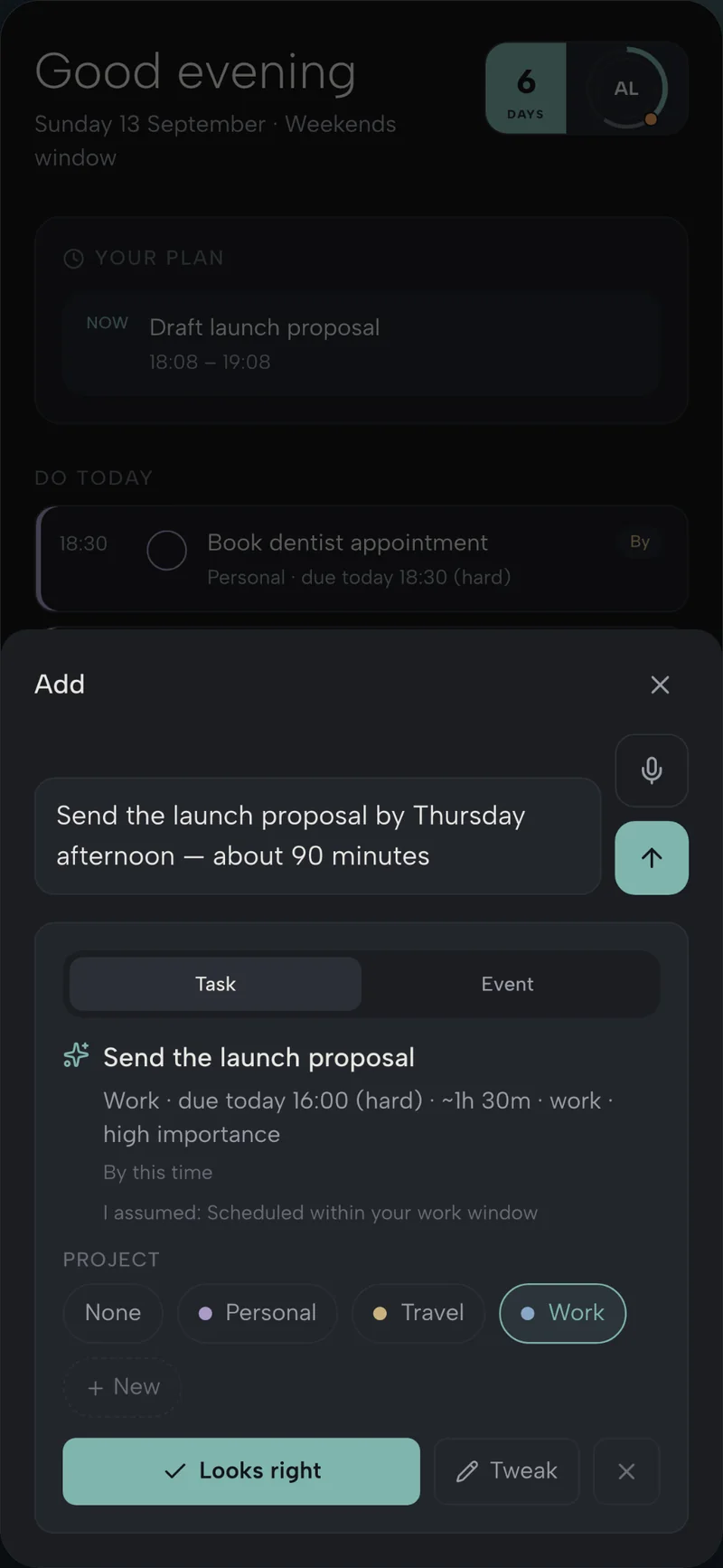
Speak it, type it, or chat it
Titles, deadlines and projects get structured for you, so nothing sits in a messy inbox.
- Quick add, voice or chat — capture in the moment.
- Natural language becomes a title, deadline, estimate and project.
- Hard and soft deadlines, so “by Thursday” and “aim for Thursday” mean different things.
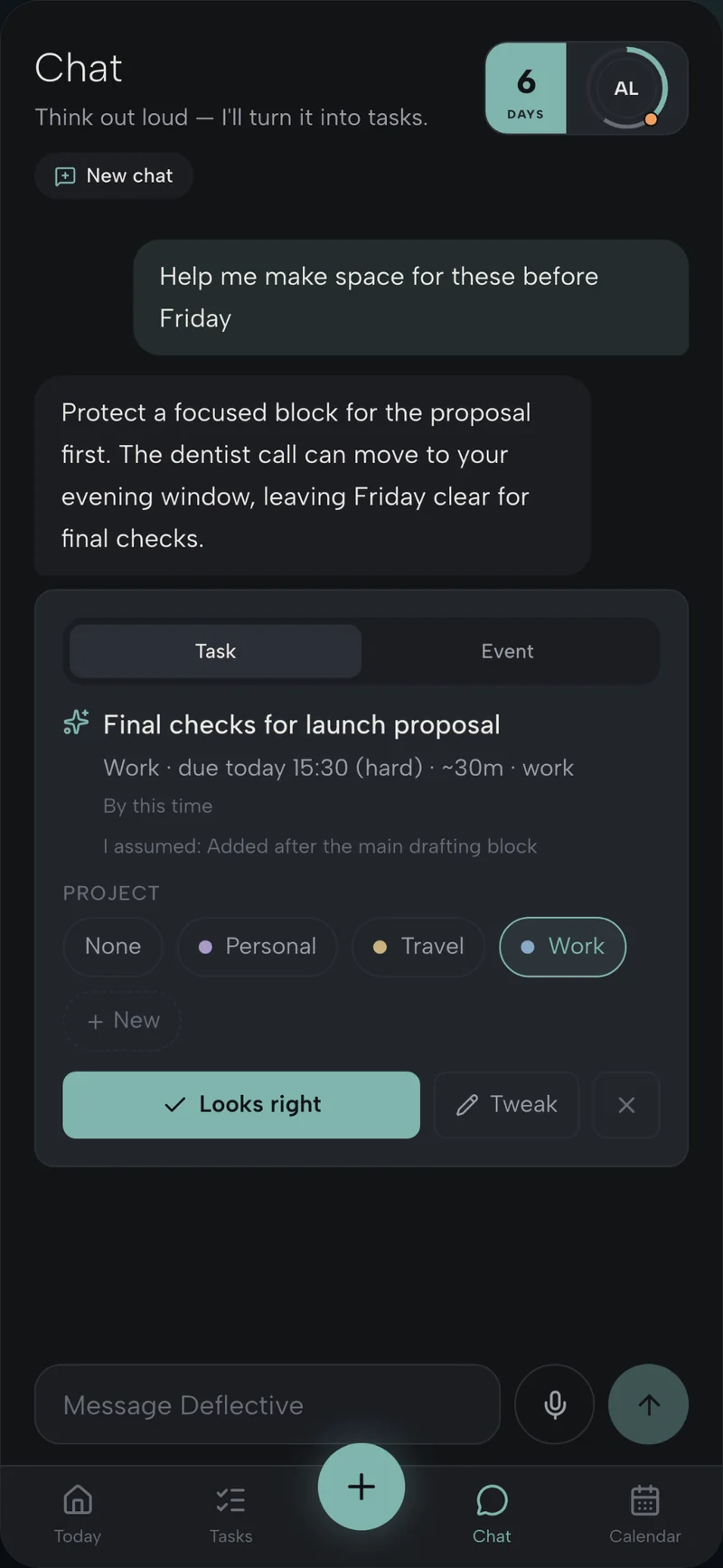
- Suggestions wait for Looks right. Nothing lands without you.
Prioritise
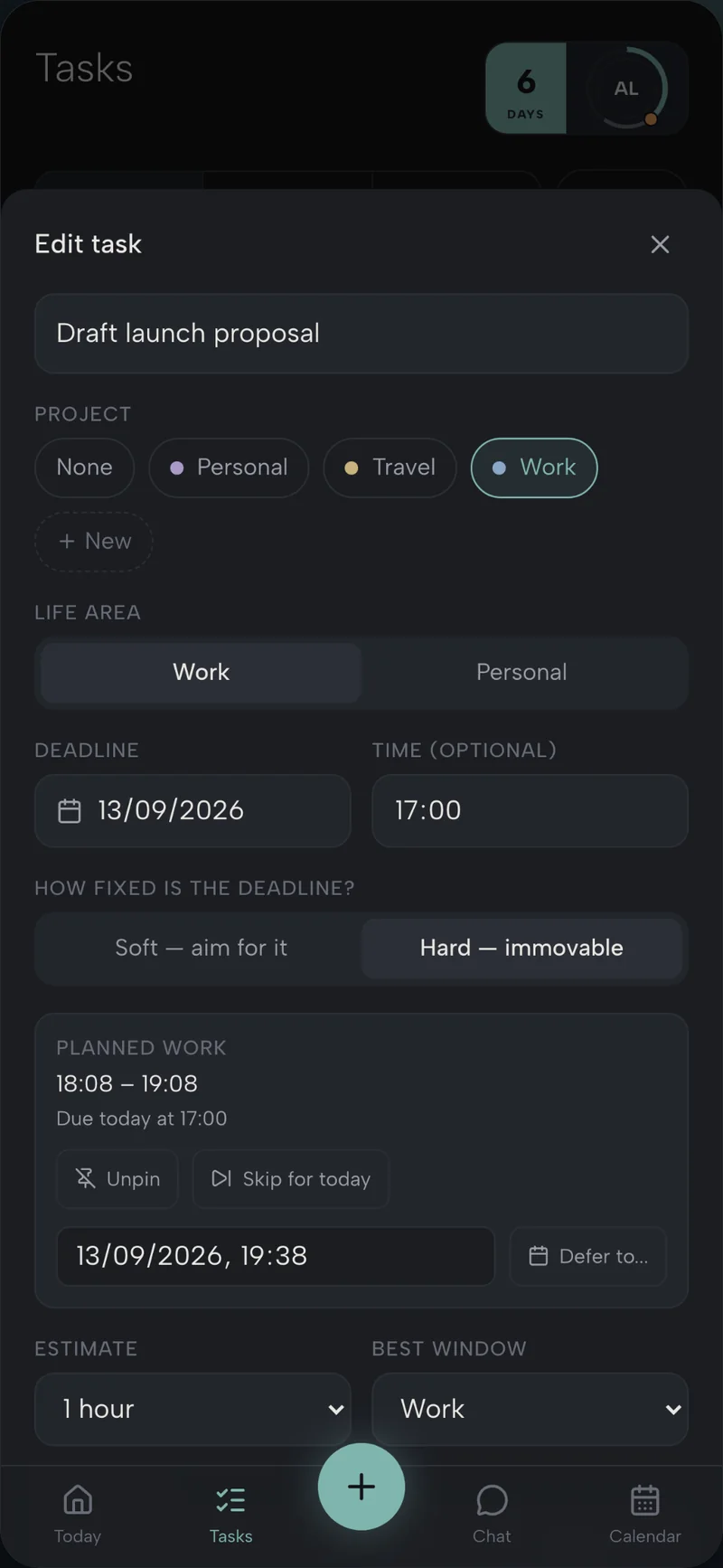
Urgency and effort, without shuffling the list
Deflective weighs what matters so the right work surfaces first — not another round of manual ranking.
- Urgency, effort and your preferences weigh the list for you.
- Important work surfaces without dragging rows around.
- Pin what must stay put; the rest can move.
- Life and work share one model — not two competing systems.
Schedule
Planned blocks around the time you actually have
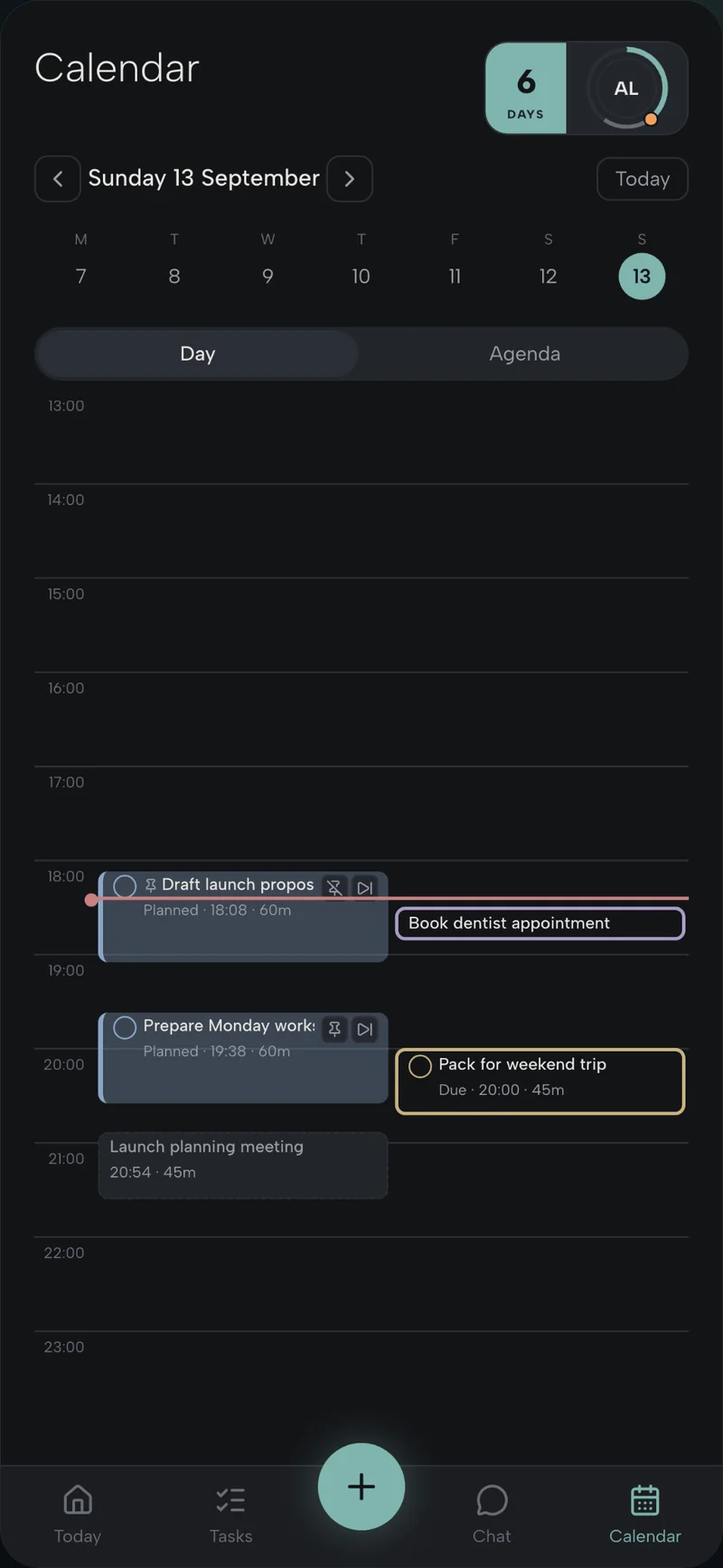
Work, evening and weekend windows, plus the calendar you already keep. Auto-scheduling fills the gaps.
- You set the windows; Deflective fills the gaps.
- Planned work sits around Google Calendar, not on top of it.
- A do date is separate from a deadline — that is the whole point.
- If the week will not fit, you see it before it fails.
Today
Now, next, later
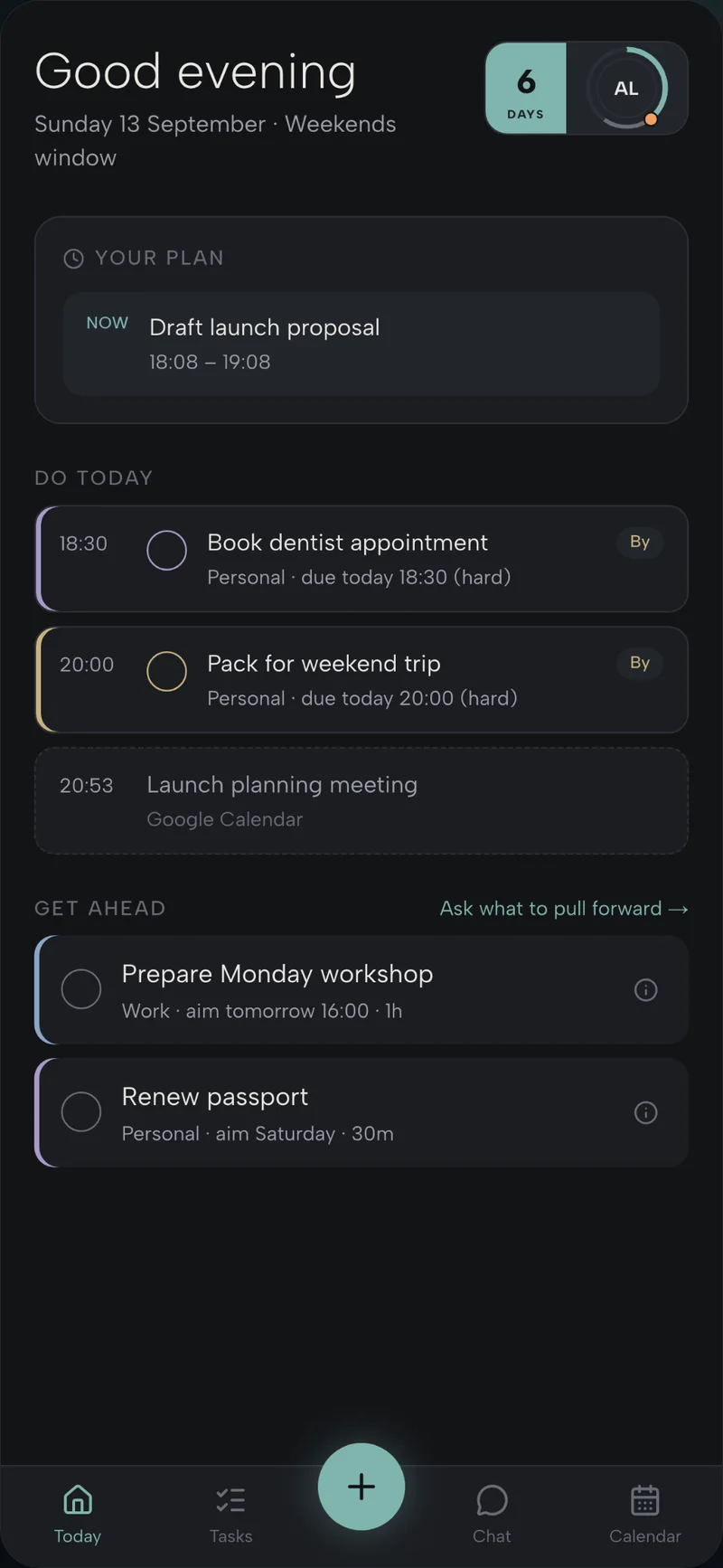
The day as a sequence, not a pile. See what deserves attention this hour, and what can wait.
- Now is the single thing in front of you.
- Do today and Get ahead keep optional work from crowding the plan.
- Meetings appear beside planned blocks, in one glance.
- The question is always “what deserves this hour?”
Replan
When life moves, the week reshapes
Skip, defer or pin a block, then let Deflective draft the rest. Suggested changes stay under your control.
- Skip, defer or pin — then ask for a new draft.
- Chat can propose how to make space before Friday.
- Suggested changes stay drafts until you accept them.
- Deadlines do not disappear when the timetable moves.
Complete
Progress you can see
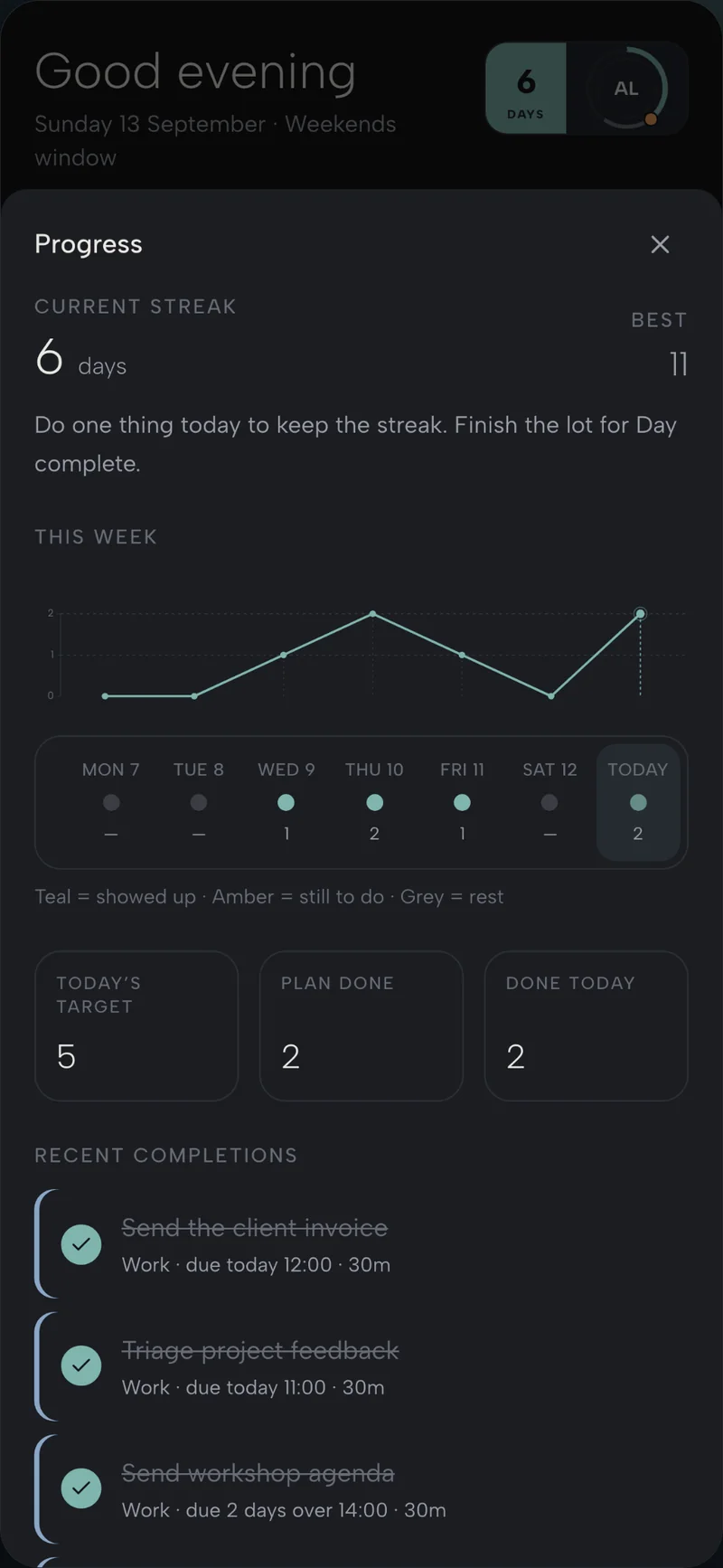
Mark done, keep a light streak, and notice the week adding up — motivation without leaderboards.
- Mark done and watch the day tick forward.
- A light streak for showing up — no leaderboards.
- Weekly progress without competitive clutter.
- One thing a day is enough to keep the streak.

Deflect the tasks. Keep the time.
Seven days of Plus. No card. Nothing to cancel.
Calendar view and auto-scheduling are simply on. Then stay on Free, or keep Plus for £6 a month.
Start free 7-day trial